We use cookies
We use cookies and similar technologies to enhance your browsing experience, analyze site traffic, and personalize content and ads. By clicking "Accept", you consent to our use of cookies. Learn more in our Privacy Policy.
Free on Android · formerly MDPilot
Your agent stopped.
Say yes from your phone.
Continue the Claude Code and Codex sessions you started at your desk — see the full command it is waiting on, and approve or deny in one tap.
Your code never leaves your computer · end-to-end encrypted · no account
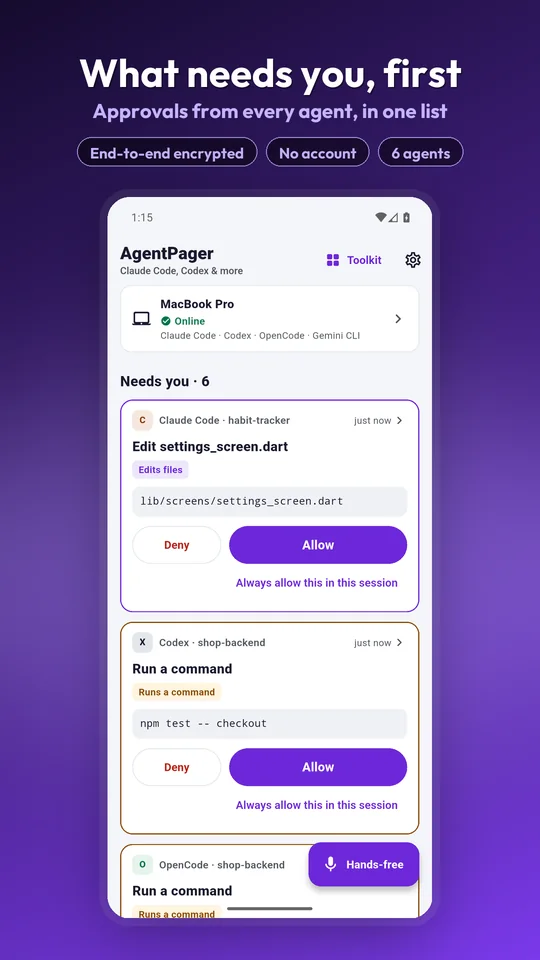
One queue. Every computer, every agent.
Approvals first, then problems, then finished work — so the thing that is actually blocking you is always at the top.
Needs you
An agent has stopped and is waiting on a yes or a no.
Went wrong
A run failed, and you can read why without unlocking a laptop.
Done
Finished work, so you know what landed while you were out.
Notifications tell you the moment an agent needs you, finishes, or fails.
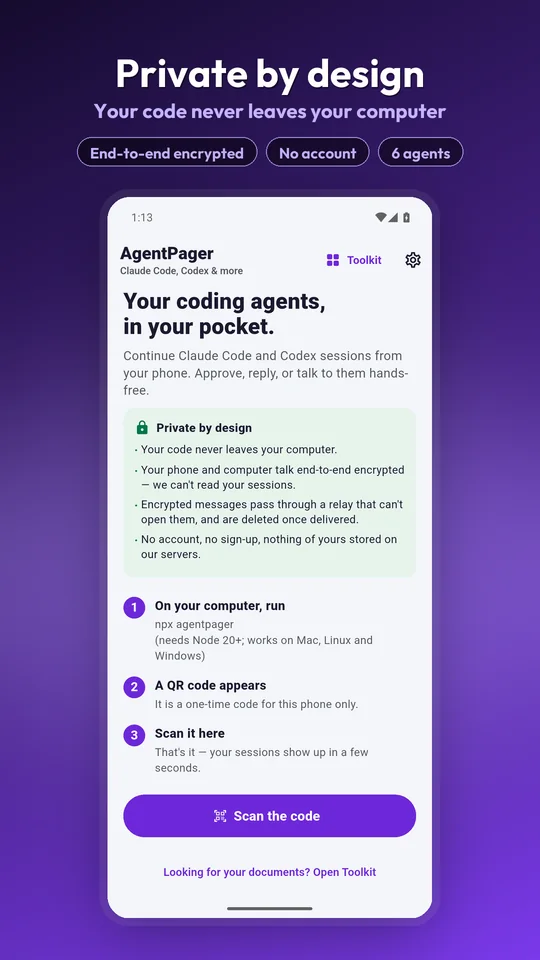
Two steps, and you are paired
One command on the computer, one QR scan on the phone. Node 20 or newer, on macOS, Linux or Windows.
- Run
npx agentpagerin a terminal on the computer your agents run on. - Open the app and scan the QR code it prints. That is the whole setup.
What you can actually do from the bus
Not a dashboard of green ticks — the real session, the real command, and the decision that unblocks it.
The full command, then one tap
Every approval shows you exactly what the agent wants to run before you decide. Approve or deny in one tap. Destructive actions — push, delete, deploy — need a press-and-hold, and are never approved by voice.
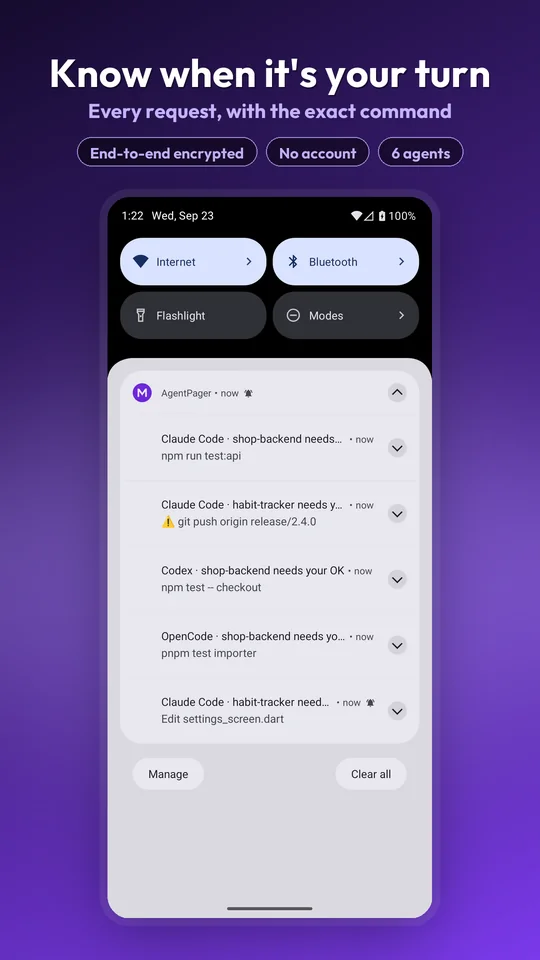
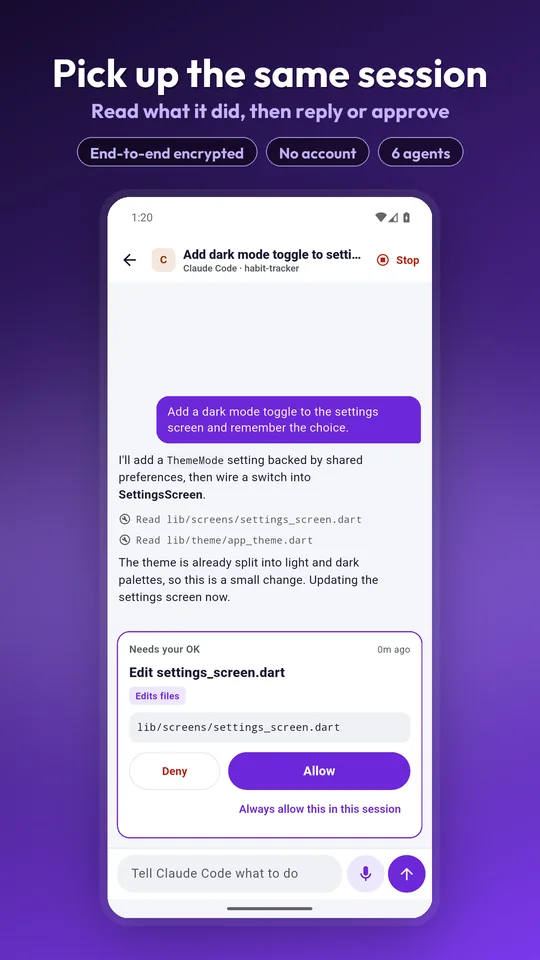
Watch the session, not a summary
Open any session and read the output as it streams. Send the next prompt from your phone. If the computer is asleep, your prompt is held and delivered the moment it wakes.
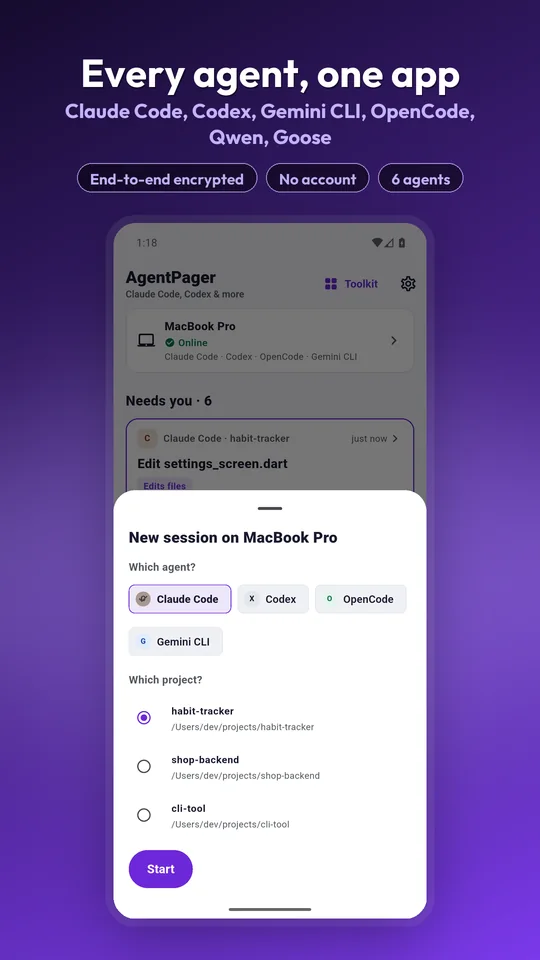
Every computer, every agent, one list
Continue the Claude Code and Codex sessions you started at your desk, or start a new one with Gemini CLI, OpenCode, Qwen Code or Goose in any project on that machine. It lists the repositories it finds, and you can browse for others.
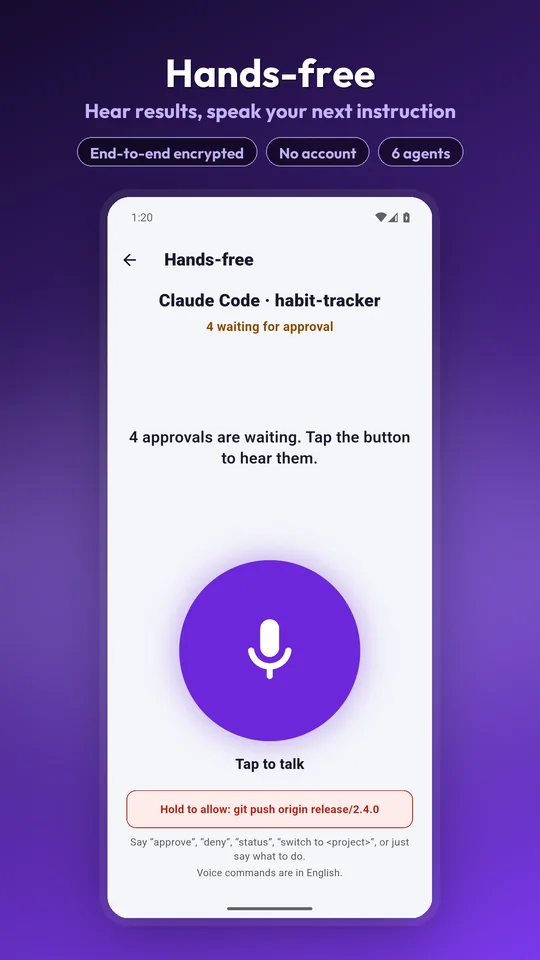
Hands-free while you walk away
Tap to talk, hear spoken summaries, approve by voice. Recognition is English; the app itself is in 15 languages. Destructive actions still need your thumb.
Any script can page you
Two commands turn a build, a cron job or a deploy step into something that waits for your thumb.
Tell me when it is done
$ agentpager notify "AAB built"A notification lands on your phone. The script carries on.
Ask me before you do it
$ agentpager ask "Deploy to production?"
      --timeout 5m
The script pauses and continues only if you approve. Exit 0 approve, 1 deny, 2 nobody answered.
When a timeout expires, the request is withdrawn from your phone — so a question you never saw cannot be approved an hour late.
It works from wherever you are
No same-WiFi requirement, no router settings, no account. Both ends dial out to an encrypted relay and meet in the middle.
No same-WiFi rule
Your phone and your computer both connect outbound to an encrypted relay. Mobile data, café WiFi, another country — it works the same.
Nothing to open up
No port forwarding, no inbound connection to your machine, no tunnel to configure, no account to create.
It stays awake to finish
While an agent is working, your computer is kept from idle-sleeping — so walking away does not freeze the run.
🔒 Your code never leaves your computer
The agent runs on your machine and reads your files there. Only the session output you are looking at travels, end-to-end encrypted, and there is no account behind any of it. The one thing your phone does receive is folder names, when you browse that computer for a project to open — never the contents of those folders.
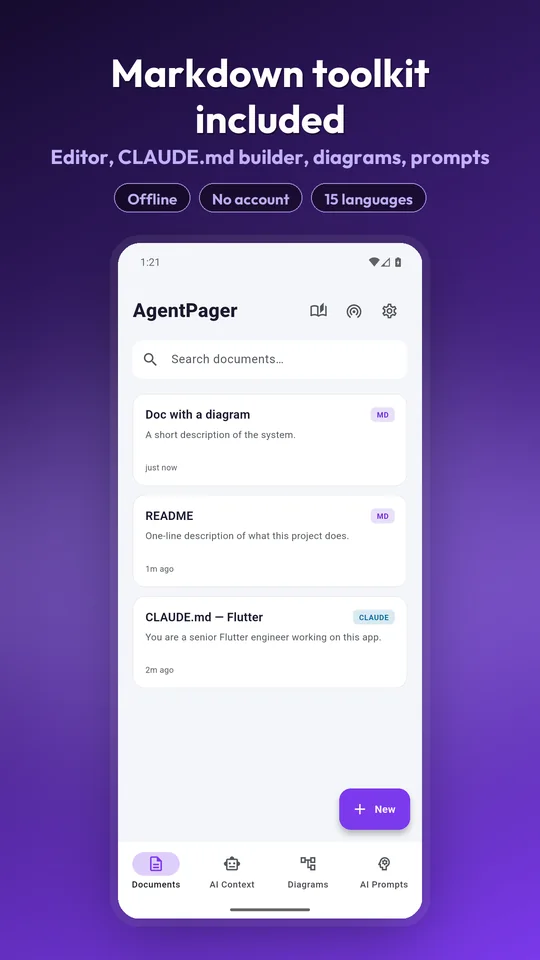
The Toolkit comes with it
Everything MDPilot did is still here — the editor you write your agent instructions in, on the same phone you approve them from.
- Markdown editor with live preview
- Mermaid diagrams
- CLAUDE.md / AGENTS.md builder
- Prompt vault
- LAN vault server
Free to use, Pro when you live in it
Prices differ by country, so the app shows you yours. Pro is either a monthly subscription or a one-time lifetime purchase — your choice.
Free
Enough to run your day from a phone.
- One computer
- One live session at a time
- A daily allowance of live output
- Ads
Pro
Monthly subscription or one-time lifetime.
- Unlimited computers and sessions
- Hands-free voice mode
- Approval rules
- All-day live output
- No ads
Questions, answered
Stop being the bottleneck.
Pair your computer once, and the next time an agent needs a yes, it asks the phone in your pocket.
Your code never leaves your computer · end-to-end encrypted · no account