Cosmovex / Apps / Pocket Compiler
On Android and iPhone
Pocket Compiler: Run Code
Run code on your phone. Offline.
Pocket Compiler: Run Code is a code editor and compiler for Android and iPhone. Write code or open a file, tap ▶ Run, and see the output, or the error and the line it came from. Python, JavaScript, React, HTML and SQL run offline on the phone; on Android, so do Java, C, C++ and PHP.
Code P2: real code from the video, ready to run.
print(0.1 + 0.2)print(0.1 + 0.2 == 0.3) import mathprint(math.isclose(0.1 + 0.2, 0.3))0.30000000000000004 False True
What runs, and where
Every language below runs on the phone itself, not on a server.
- Python
- JavaScript + React
- HTML + CSS
- SQL (SQLite)
- JavaAndroid
- CAndroid
- C++Android
- PHPAndroid
- GitHub
- Terminal
- SSH
- Code Library
| Language | Android | iPhone / iPad | How it runs |
|---|---|---|---|
| Python | ✓ | ✓ | Offline from install. numpy, pandas and other packages from a requirements.txt. |
| JavaScript + React | ✓ | ✓ | JavaScript offline from install, with console output; React is a one-time download. |
| HTML + CSS | ✓ | ✓ | Opens as a live page, with its CSS and script. |
| SQL (SQLite) | ✓ | ✓ | A real SQLite database on the phone; results show as a table. |
| Java | ✓ | Android only | One-time download, then offline. |
| C | ✓ | Android only | One-time download, then offline. |
| C++ | ✓ | Android only | One-time download, then offline. |
| PHP | ✓ | Android only | One-time download, then offline. |
- Program input. Type what your program reads with
input(),scanf,cinorScanner, then run. - Errors that point to the line. Compiler and runtime errors show the line they came from. Tap one to jump there.
- No runaway loops. A program stuck in a loop stops at the time limit , so the app stays usable.
- HTML and SQL show results. HTML opens as a live page; SQL results show as a table.
Saw a code in a Short? Type it.
Every Pocket Compiler video on YouTube shows a short code, like AI2. Type it in the app and that program opens, ready to run, with a step-by-step “How it works”. Every video code can be seen, run and copied.
 AI1I built an AI on my phone (no libraries)Get code AI1 →
 AI2Can my phone AI learn a SPIRAL?Get code AI2 →
 AI3I drew a heart. My phone AI learned it LIVEGet code AI3 →
 AI4My phone AI taught ITSELF to dodgeGet code AI4 →
 G1Bug Dodge — a game made on my phoneGet code G1 →
 P1Python: round(2.5) = 2?!Get code P1 →
 P2Python can't add 0.1 + 0.2?Get code P2 →
 P3This Python code is WRONGGet code P3 →
All 41 codes in the Code Library
Phone AI (no libraries)
Build an AI from scratch, on your phone
Python traps
Code that surprises everyone
P1Python: round(2.5) = 2?! PythonP2Python can't add 0.1 + 0.2? PythonP3This Python code is WRONG PythonP4Python: this list grows by ITSELF?! PythonP5Python: I changed 1 cell and 3 changed?! PythonP6Python: bool("False") is TRUE?! PythonP7Python: "10" > "9" is FALSE?! PythonP8Python: 3 keys in, 1 key out?! PythonP9Python: -7 // 2 = -4?! PythonP10Python: I changed b... and a changed?! PythonP11Python: -2 ** 2 = -4?! Python
JavaScript traps
The weird parts, explained
JS1JavaScript: "5" + 3 = 53?! JavaScriptJS2JavaScript can't sort numbers?! JavaScriptJS3JavaScript: NaN === NaN is FALSE?! JavaScriptJS4JavaScript: typeof null = "object"?! JavaScriptJS5JavaScript: parseInt(0.0000005) = 5?! JavaScriptJS6JavaScript: map(parseInt) = 1, NaN, NaN?! JavaScriptJS7JavaScript: "b"+"a"+ +"a"+"a" = baNaNa?! JavaScriptJS8JavaScript: [] == ![] is TRUE?! JavaScriptJS9JavaScript: Math.max() = -Infinity?! JavaScriptJS10JavaScript: [1,2,3] + [4] = "1,2,34"?! JavaScriptJS11JavaScript: typeof NaN = "number"?! JavaScriptJS12JavaScript: 9999999999999999 prints 10000000000000000?! JavaScriptJS13JavaScript: [,,,].length = 3?! JavaScript
Java traps
Why Java does that
SQL traps
Queries that lie
Pocket Compiler can do THAT?
Real tools, running on your phone
GitHub and a terminal, in your pocket
- Browse any public repository. The Code tab shows its languages and whether it runs here.
- Clone it and run it. Sign in with GitHub to save a file as a Gist or to a repository.
- A real terminal.
git,python,nodeandsqlite3, plus everyday commands likelsandcat. SSH into your own server.
On iPhone, GitHub and the terminal arrive with version 2.1.
~$ git clone https://github.com/octocat/Hello-World
Cloning into 'Hello-World'... done.
~$ cd Hello-World
~/Hello-World$ python -c "print(sum(range(101)))"
5050
~/Hello-World$ node -e "console.log([1,2,3].map(x=>x*2))"
[ 2, 4, 6 ]
~/Hello-World$
# requirements.txt
numpy
pandas
colorama
✓ numpy installed
✓ pandas installed
✓ colorama installed
Python packages from a requirements.txt
Install the packages a project lists: pure-Python packages plus numpy, pandas and other supported ones on Android (pure-Python packages on iPhone). A package is one download, then it stays on the phone.
Code NP1 solves three equations with np.linalg.solve, on the phone.
See it
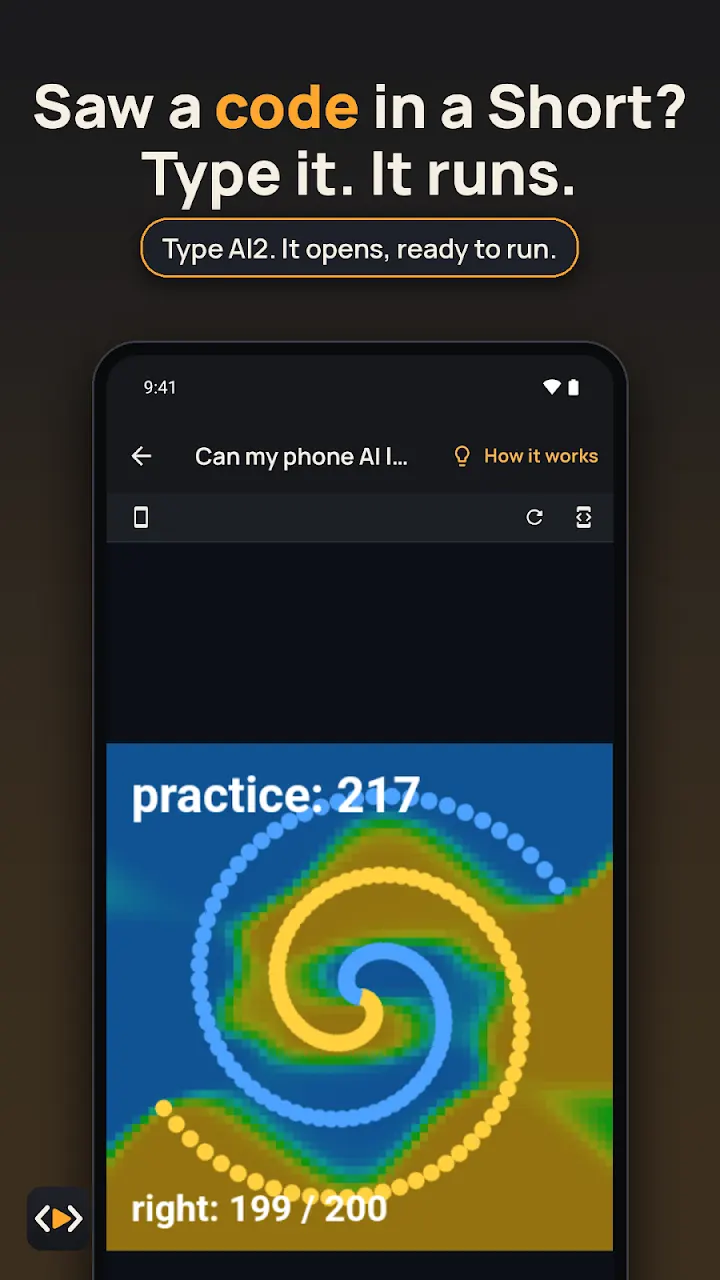 Type the code from a Short, like AI2, and the program opens ready to run
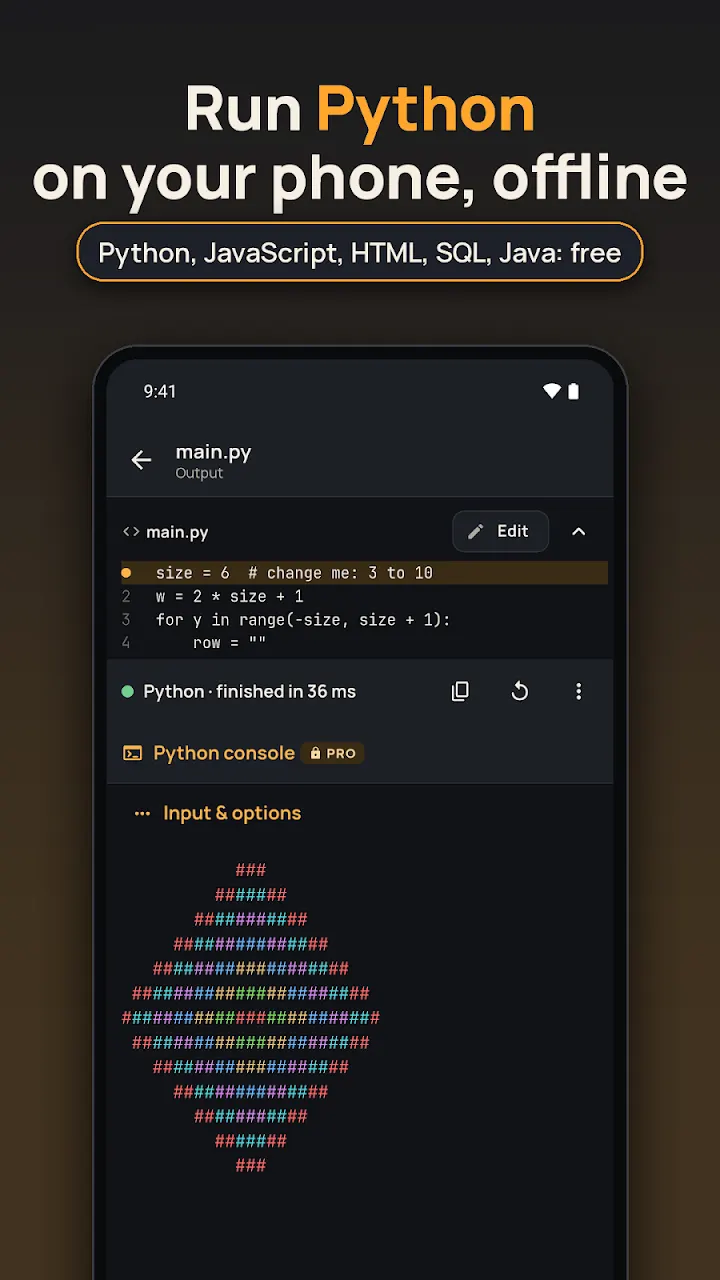 A Python program and its output, run offline on the phone
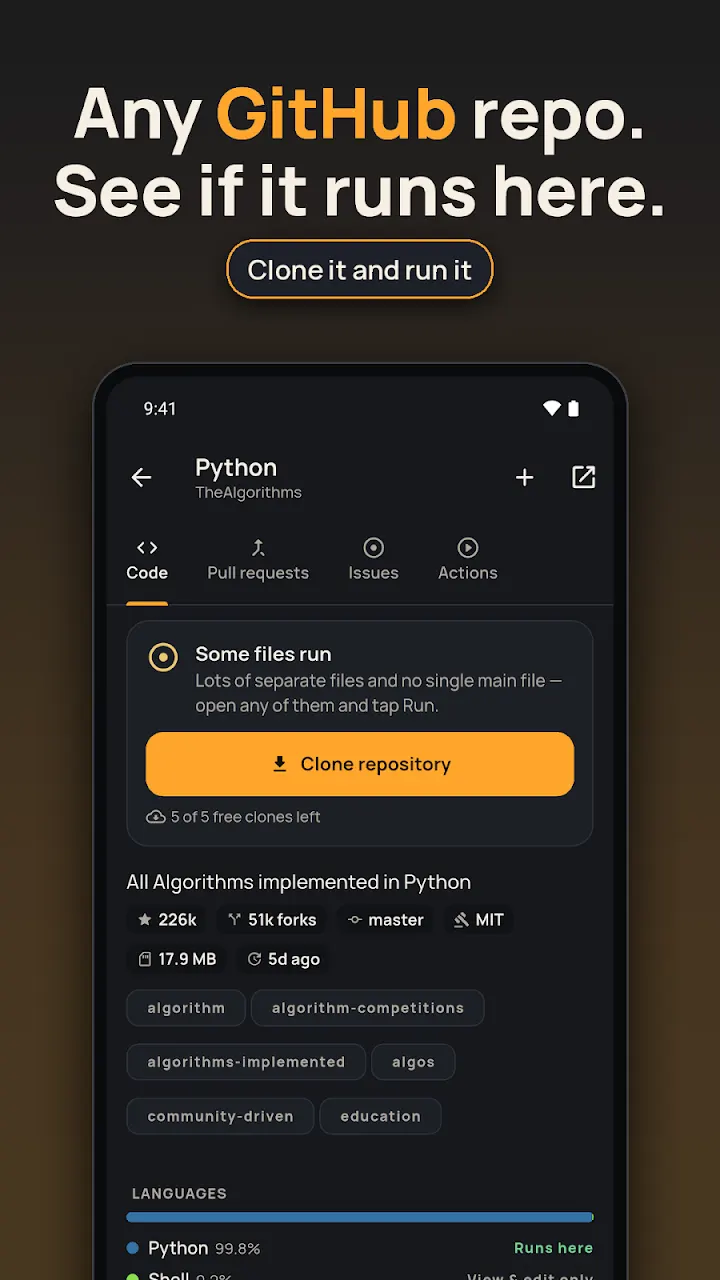 A GitHub repository with its languages and a Clone button
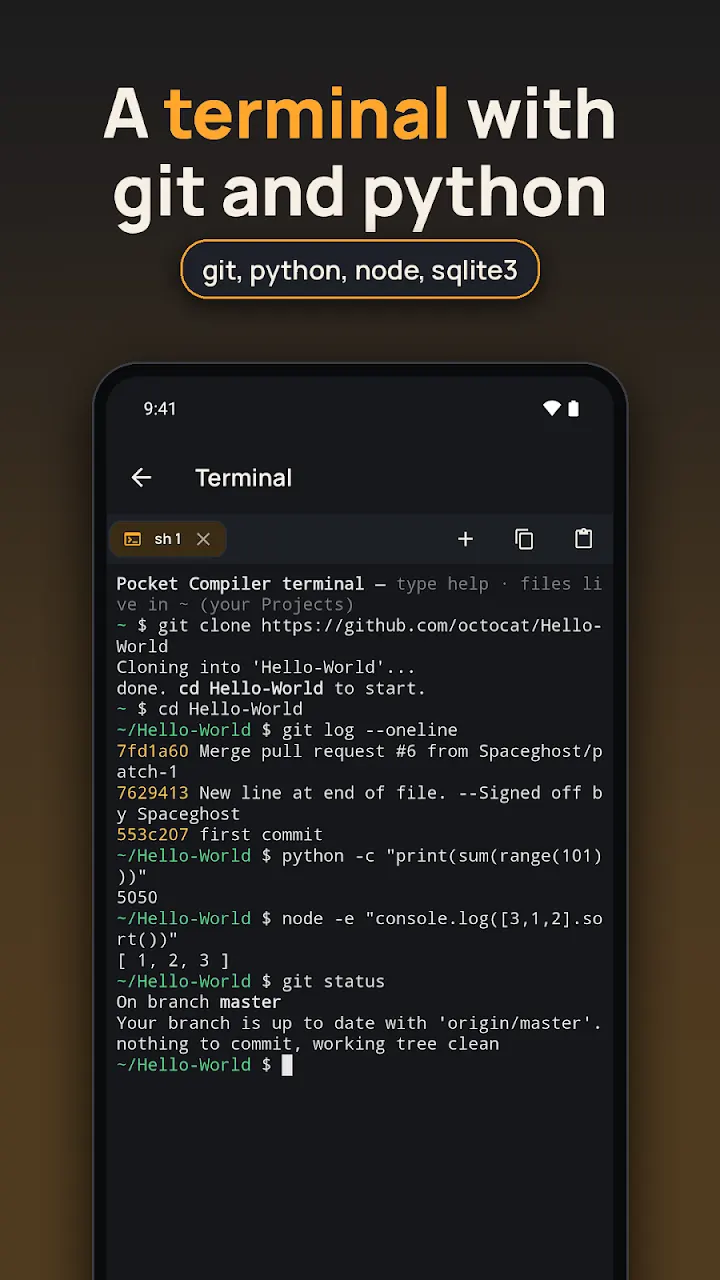 The built-in terminal running git clone, git log and python
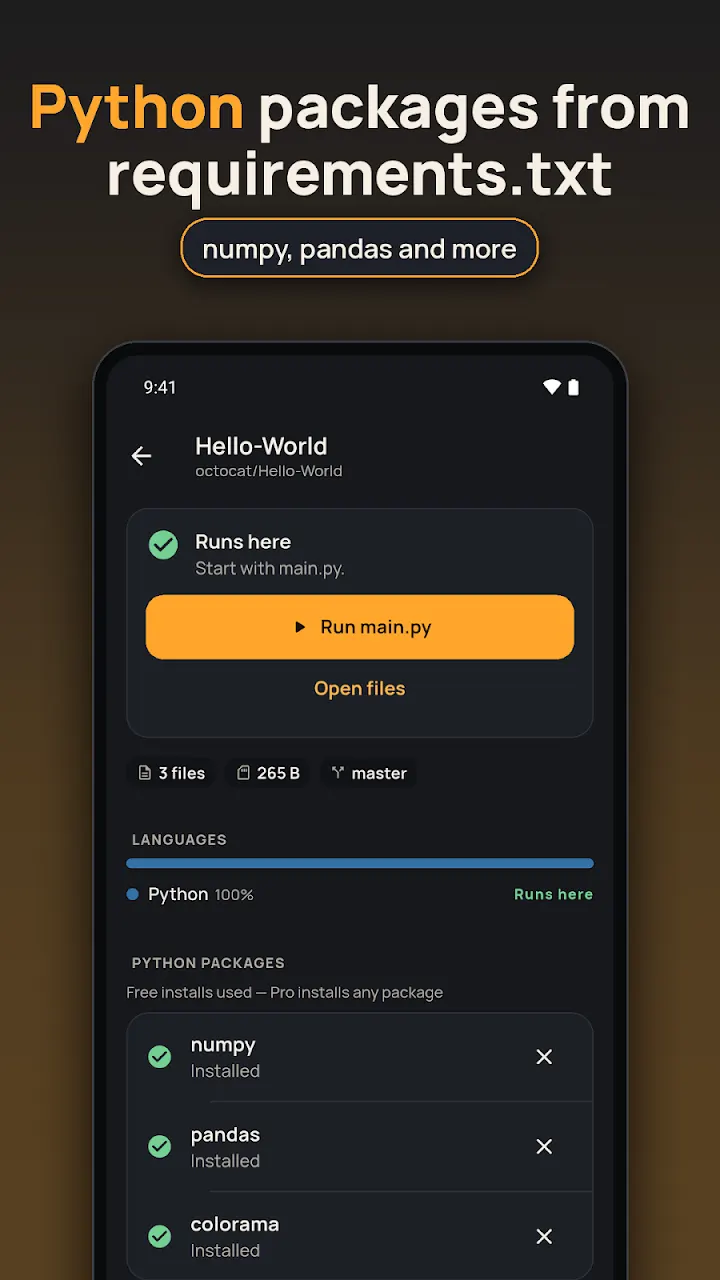 numpy, pandas and colorama installed from a requirements.txt
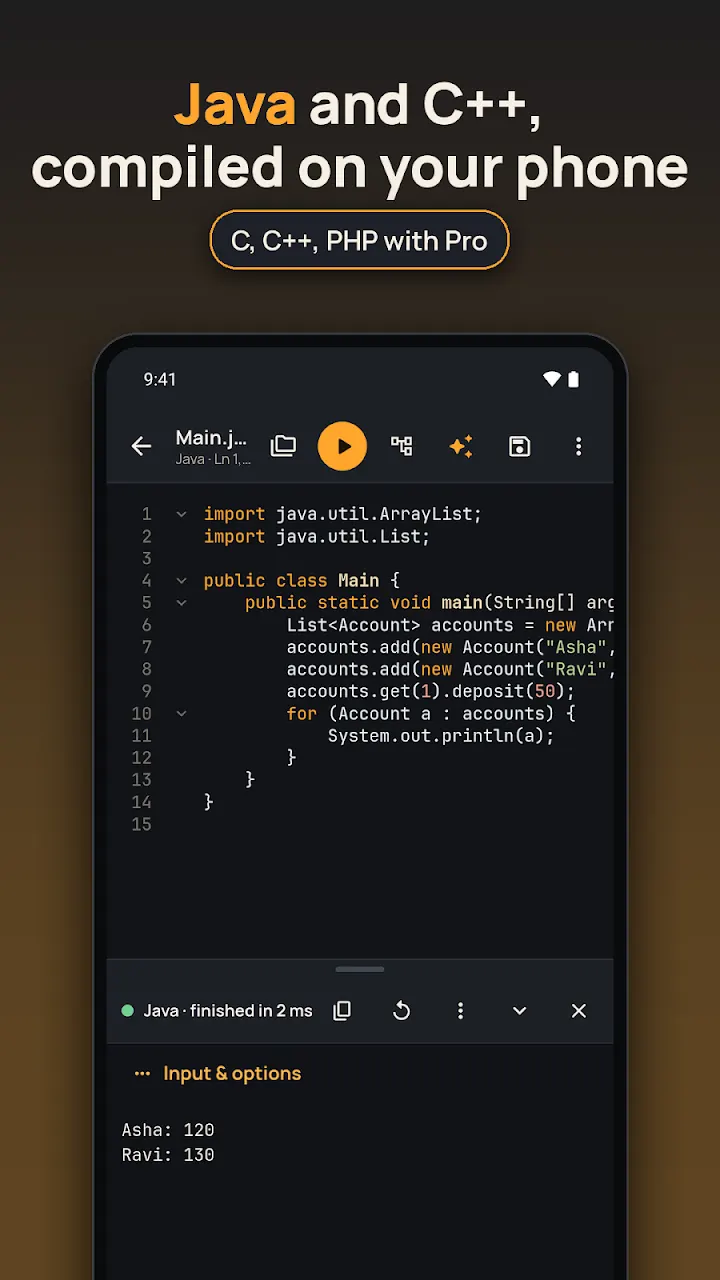 A Java program compiled and run on the phone
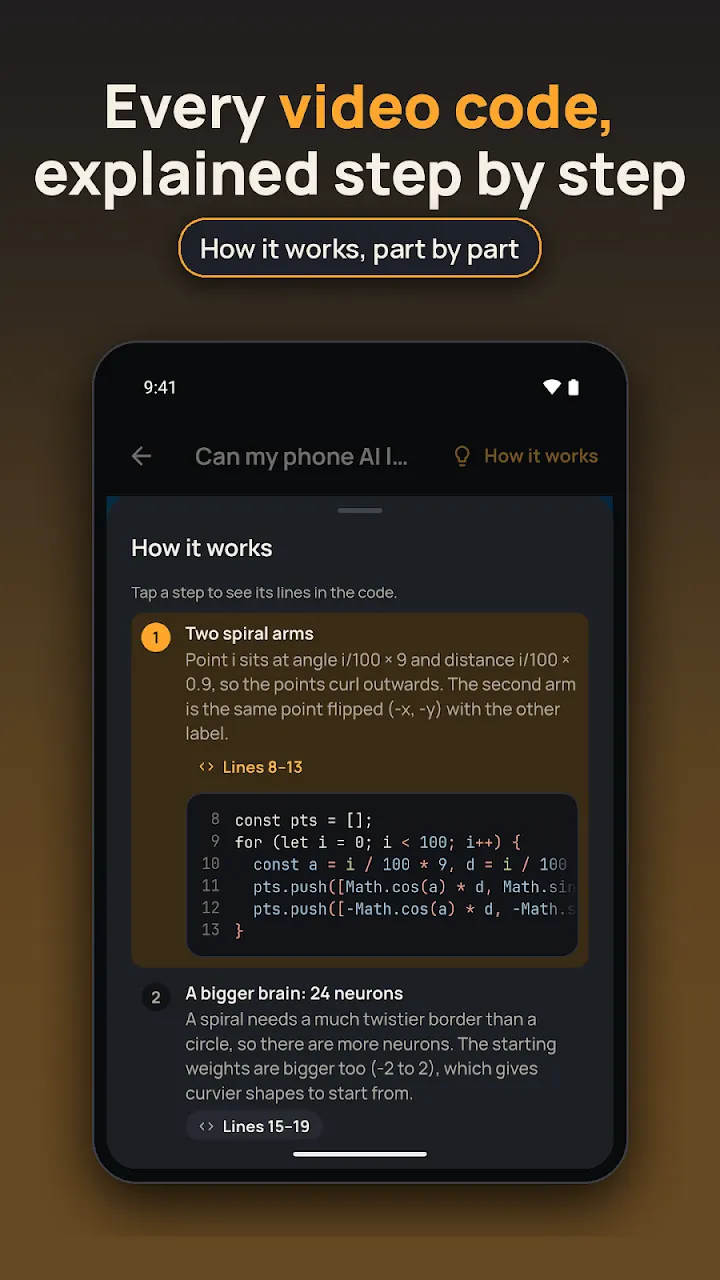 A video code explained step by step in How it works
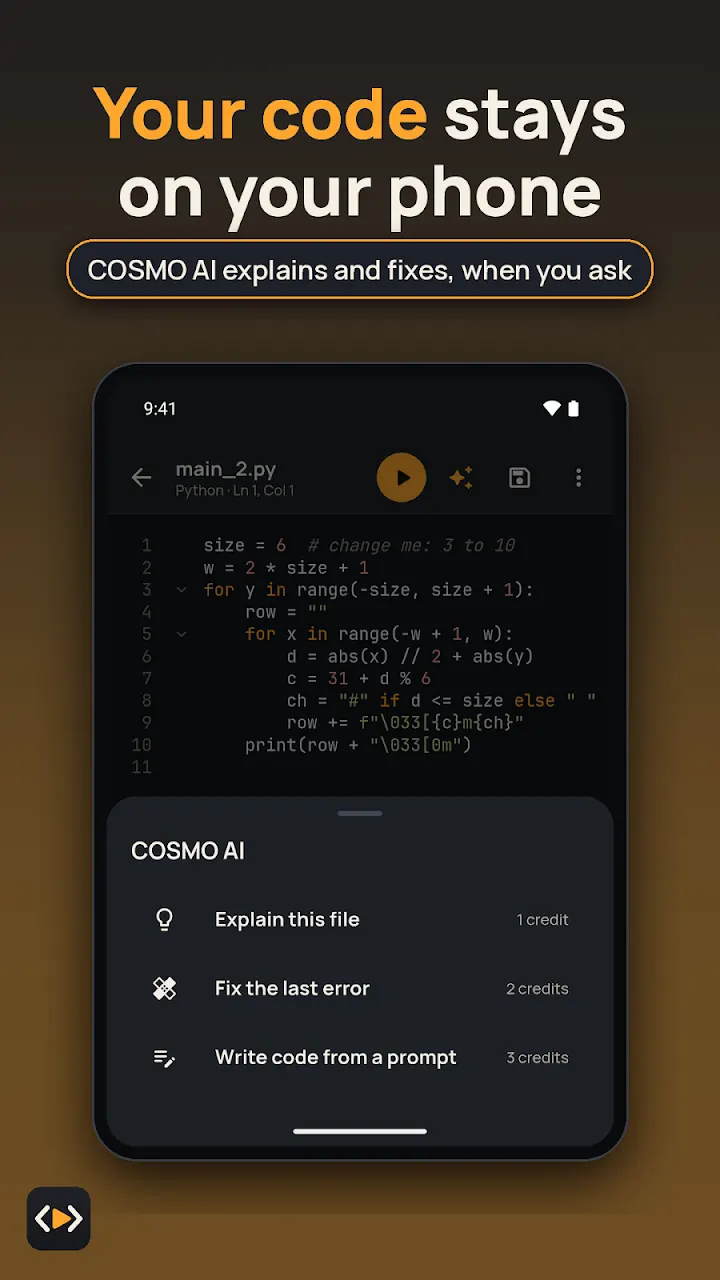 COSMO AI: explain this file, fix the last error, write code from a prompt
✨ COSMO AI, when you want it
Ask COSMO AI to explain a piece of code or fix an error, right in the editor. It is optional, for users 18+, uses COSMO credits, and is on Android only.
🔒 Private by design
Your code is stored and run on your device. With COSMO AI, only what you choose to send goes to Google's Gemini API; prompts and answers are not kept and never train AI models. Git sign-ins stay in secure storage. Privacy policy
📂 Opens any code or text file
Tap “Open with” in a file manager, downloads or chat app. .py, .js, .html, .sql, .c, .cpp, .java, .php, plus TXT, LOG, JSON, XML, YAML, CSV, Markdown and shell files. JSON, YAML and XML can be formatted and validated.
How it compares
Each app does some things the others don't. This table sticks to what each one is built for; check each store listing for the details.
| Pocket Compiler | Pydroid 3 | Termux | Replit | |
|---|---|---|---|---|
| Platforms | Android, iPhone, iPad | Android | Android | Web, Android, iPhone |
| Runs code on the phone, offline | Yes | Yes | Yes | No, runs in the cloud |
| Languages | Python, JavaScript, React, HTML, SQL, Java, C, C++, PHP | Python | Whatever you install with pkg | Many |
| Tap Run, no setup | Yes | Yes | No, command line | Yes |
| Account needed | No | No | No | Yes |
| GitHub clone + terminal | Yes | Terminal | Yes (git via pkg) | Yes |
Pick Pydroid 3 for a Python-only IDE, Termux for a full Linux command line, Replit for cloud projects you share. Pick Pocket Compiler to run several languages on the phone with one Run button, offline, without an account.
Questions
What is Pocket Compiler: Run Code?
Pocket Compiler: Run Code is a code editor and compiler app for Android and iPhone made by Cosmovex. You write code or open a file, tap Run, and see the output, or the error and the line it came from. Python, JavaScript, HTML and SQL run offline on the phone; React runs too, and on Android so do Java, C, C++ and PHP.
Does it work offline?
Yes. Python, JavaScript, HTML and SQL run offline from the moment you install. Java, C, C++, PHP and React are each a one-time download (internet needed once), then they run offline. GitHub, package installs, SSH and COSMO AI need a connection.
Is it free?
Free to download; some features are part of an optional upgrade.
Can I install Python packages like numpy and pandas?
On Android, yes: install the packages in a requirements.txt, pure-Python packages plus numpy, pandas and other supported ones. On iPhone, pure-Python packages from a requirements.txt are supported.
Can it compile C and C++ on Android?
Yes. C and C++ are a one-time download and then compile and run offline on the phone, with program input (scanf, cin) and errors that point to the line. C, C++ and PHP are not available on iPhone.
Can I run a GitHub repository on my phone?
Yes. Browse any public repository, see its languages and whether it runs here, then clone it and run it. The built-in terminal has git, python, node and sqlite3. On iPhone this arrives with version 2.1.
What are the codes in the YouTube Shorts?
Every Pocket Compiler Short shows a short code, like AI1 or P2. Type it in the app and that program opens, ready to run, with a step-by-step "How it works". Every video code can be seen, run and copied.
Do I need an account? Is my code uploaded?
No account is needed. Your code is stored and run on your device. Only when you choose COSMO AI is what you send passed to Google's Gemini API; prompts and answers are not kept and are never used to train AI models. Git sign-ins stay in the device's secure storage.
Which languages work on iPhone and iPad?
Python, JavaScript, React, HTML and SQL, offline. Java, C, C++ and PHP are Android only, and so is COSMO AI.

Write it, tap Run, see what it does.
Your code stays on your phone.