Open the 3D file someone sent you
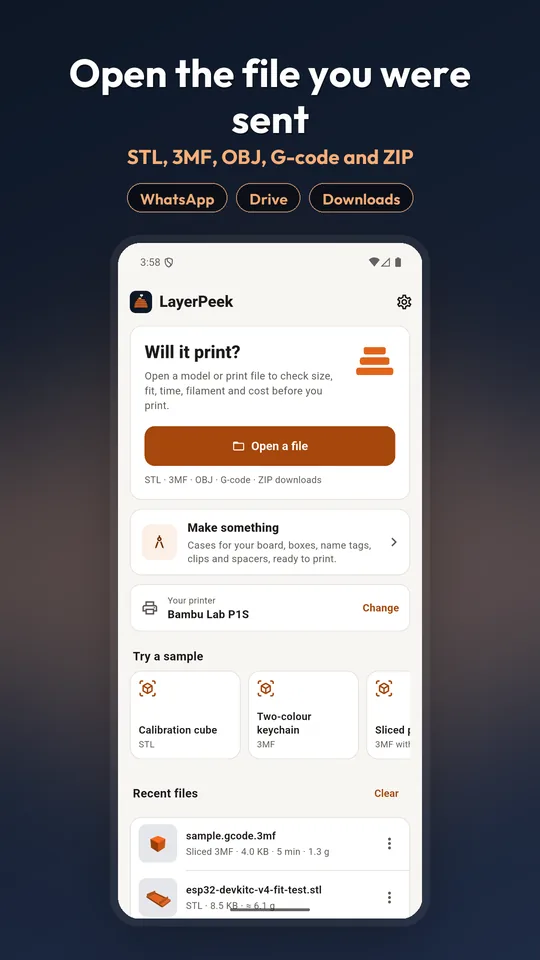
A model lands in a chat and your phone says it cannot open it. LayerPeek opens STL, 3MF, OBJ and G-code files on Android and iPhone, then shows what you need to know before you print: will it fit your printer, how long it takes and how much filament it uses.
- No account
- Files stay on your phone
- Works offline
- STL · 3MF · OBJ · G-code · ZIP
What you can do with it
Open the file you were sent
Open from WhatsApp, Google Drive, Downloads, an SD card or any app's Share button. ZIP downloads from model sites open too: pick the part you want from inside the archive.
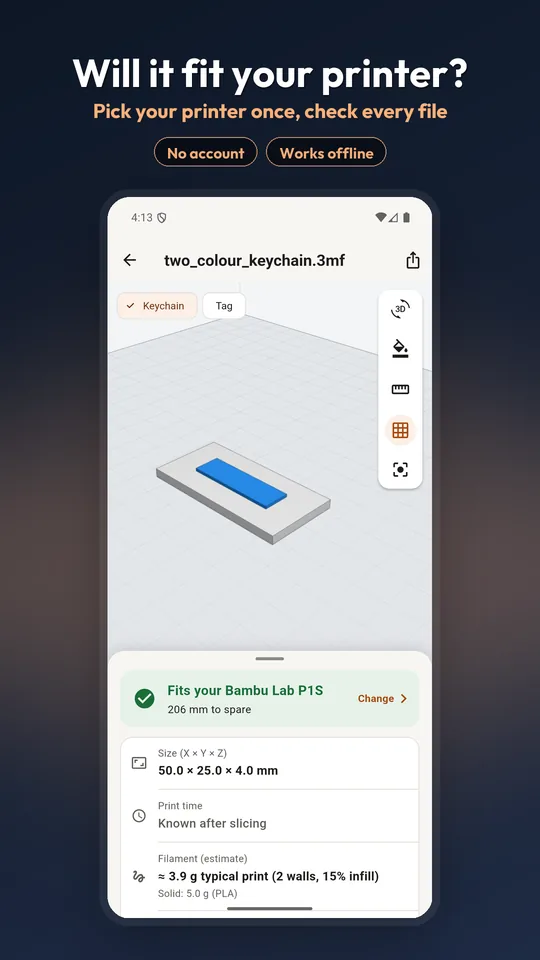
Check it fits your printer
Pick your printer once. Every model shows whether it fits the bed, with the room to spare in millimetres, and whether turning it would make it fit.
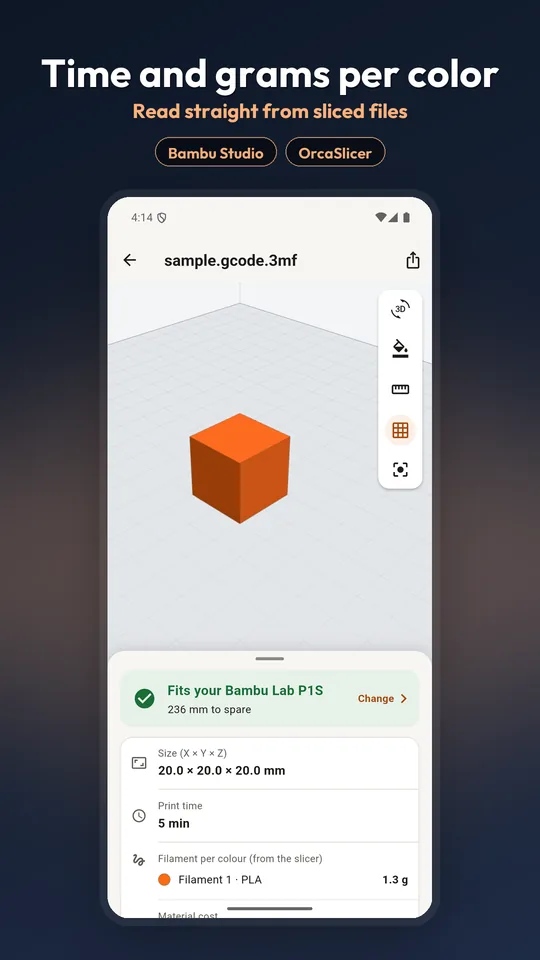
Time and grams from sliced files
Bambu Studio and OrcaSlicer 3MF projects open with their plates and filament colours. Sliced files show the print time and the grams of each colour straight from the file.
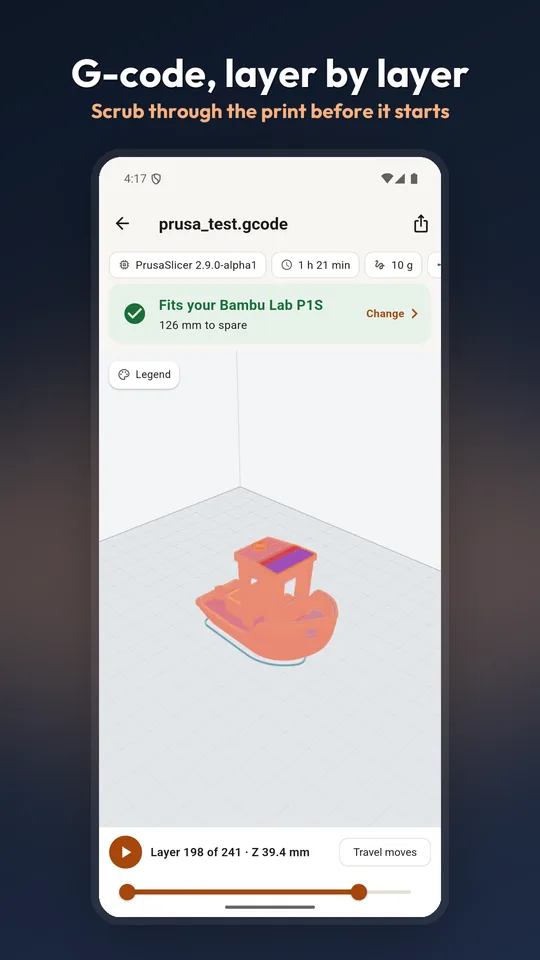
Step through G-code layer by layer
Drag the scrubber to watch the print build up one layer at a time, with travel moves in their own colour.
Measure and check the mesh
Overall size in millimetres, tap two points to measure between them, find holes and open edges, and see overhangs that are likely to need supports.
Make a part that fits
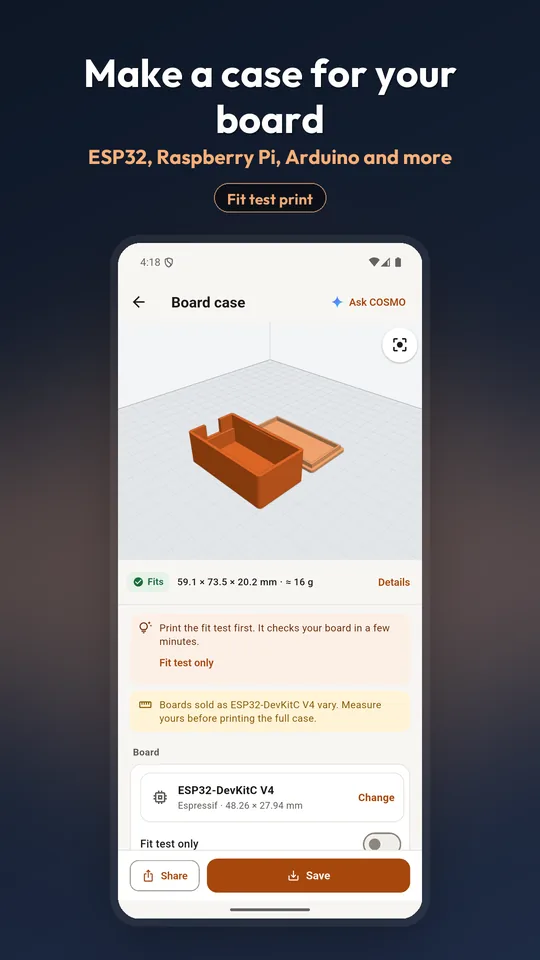
Cases for ESP32, Raspberry Pi and Arduino boards, boxes with dividers, name tags, cable clips, spacers and washers. Set the sizes in millimetres and save an STL or 3MF.
Screens
Supported files
| File | What it is | What LayerPeek shows |
|---|---|---|
.stl | A 3D shape as triangles, binary or text | The model, size in mm, printer fit, mesh health, weight and cost estimate |
.3mf | A model or a slicer project with plates and colours | Every plate and part, filament colours, printer fit |
.gcode.3mf | A sliced project, ready to print | Print time, grams per filament colour, plate thumbnails |
.obj | A 3D shape, common on model sites | The model, size in mm, printer fit |
.gcode | Printer instructions from a slicer | Layer-by-layer preview, print time and filament from the header |
.zip | A download with several files inside | A list of the parts inside, so you can open the one you want |
Guides
Questions
Which files does LayerPeek open?
STL (binary and text), 3MF, sliced .gcode.3mf projects, OBJ and G-code. It also opens ZIP downloads from model sites, so you can pick the part you want from inside the archive.
Do I need an account or an internet connection?
No. There is no sign-in, and opening and checking files works offline. Your files are read on your phone and stay there. Only the words you type into the optional COSMO AI part designer are sent, to design your part.
Can it tell me if a model fits my printer?
Yes. Pick your printer once, and every model you open shows whether it fits the bed, with the spare room in millimetres. If it does not fit as it sits, LayerPeek checks whether turning it on the bed would make it fit.
Does it slice models on the phone?
No. Sliced .gcode.3mf projects and G-code already carry the print time and filament use your slicer calculated, and LayerPeek reads those numbers from the file. For an unsliced model it gives a weight and cost estimate for a typical print.
Is it free?
LayerPeek is free to download. The Android version shows ads, and an optional one-time Pro upgrade removes them; there is no subscription.
Is it on iPhone too?
Yes. On the App Store it is listed as “STL Viewer: 3D Print & G-code”, and on Google Play as “STL Maker & 3MF, G-code Viewer”. Both open as LayerPeek on your phone.